Smart Plan

Smart Plan

Smart Plan helps you turn your degree requirements into a semester-by-semester path to graduation. Use it to plan future courses, understand prerequisite sequences, explore different academic pathways, and prepare for conversations with your academic advisor.

Smart Plan works alongside your Degree Progress Report (DPR). Your DPR shows what you've completed and what requirements remain; Smart Plan helps you organize those remaining requirements into a plan for future semesters.

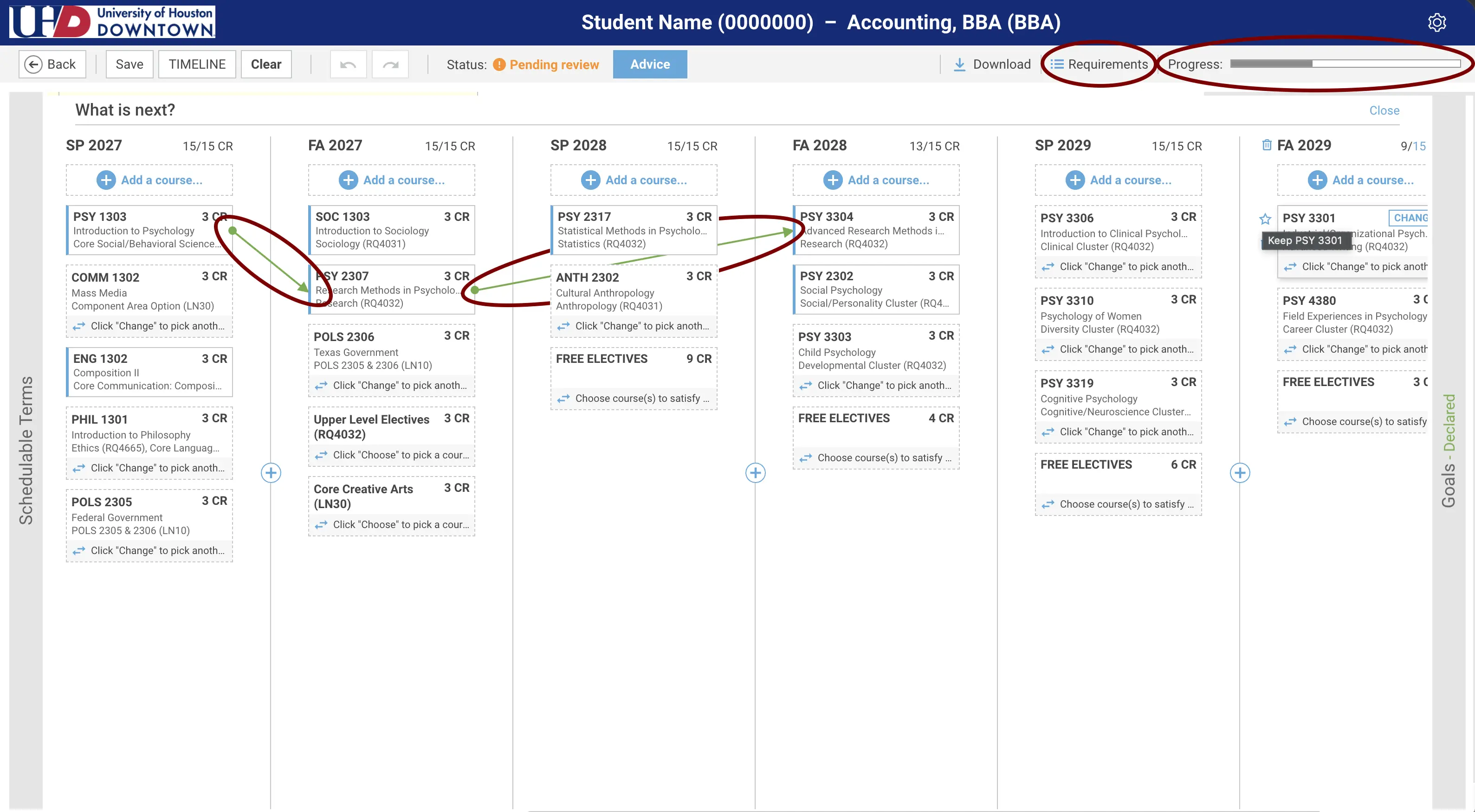
Screenshot of Smart Plan
Plan Your Semesters

Organize your remaining degree requirements into future terms and see a potential path to graduation.

Understand Prerequisites

See how prerequisite courses connect and identify courses that may affect when you can take classes later in your degree.

Explore Your Options

Use What If scenarios to see how another major or concentration could affect your academic path without changing your official major.

Prepare for Advising

Build and review your plan before meeting with your academic advisor so you can spend more time discussing decisions, questions, and goals.

Getting Started With Smart Plan

Smart Plan uses your academic information to help build a semester-by-semester plan based on your degree requirements.

  • Access Smart Plan — Sign in to Access UHD Portal and open Smart Plan.
  • Open Your Degree Plan — Smart Plan uses your current academic program and catalog information to create your starting degree plan.
  • Review Your Recommended Path — Review the courses and terms in your plan. Pay particular attention to prerequisite sequences and courses that may affect when you can take later requirements.
  • Personalize Your Plan — Adjust future terms and planning preferences based on your academic goals and schedule.
  • Save Your Plan — Save your changes so you can return to your plan and review it with your academic advisor.
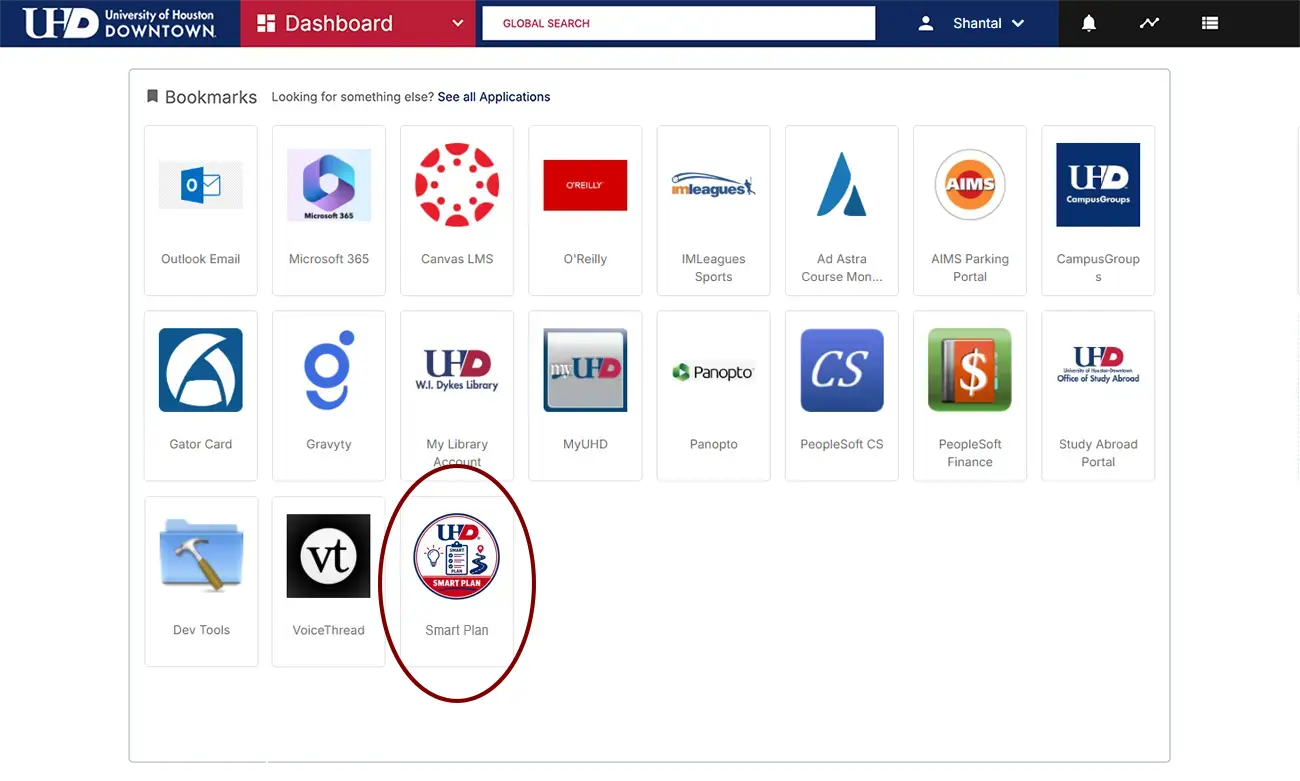
Access UHD student view dashboard

Understanding Your Degree Plan

Your Smart Plan brings together several pieces of information to help you understand not only which requirements remain, but how those requirements may fit together over future semesters.

Progress — See how you're progressing toward completion of your degree.
Degree Requirements — Review requirements associated with your academic program and identify coursework that still needs to be completed.
Critical Course Pathways — Some courses must be completed before you can move on to others. Smart Plan helps you identify these prerequisite sequences so you can plan courses in an appropriate order.
Course Recommendations — Review recommended courses and where they may fit within your future terms.

Make Your Plan Work for You

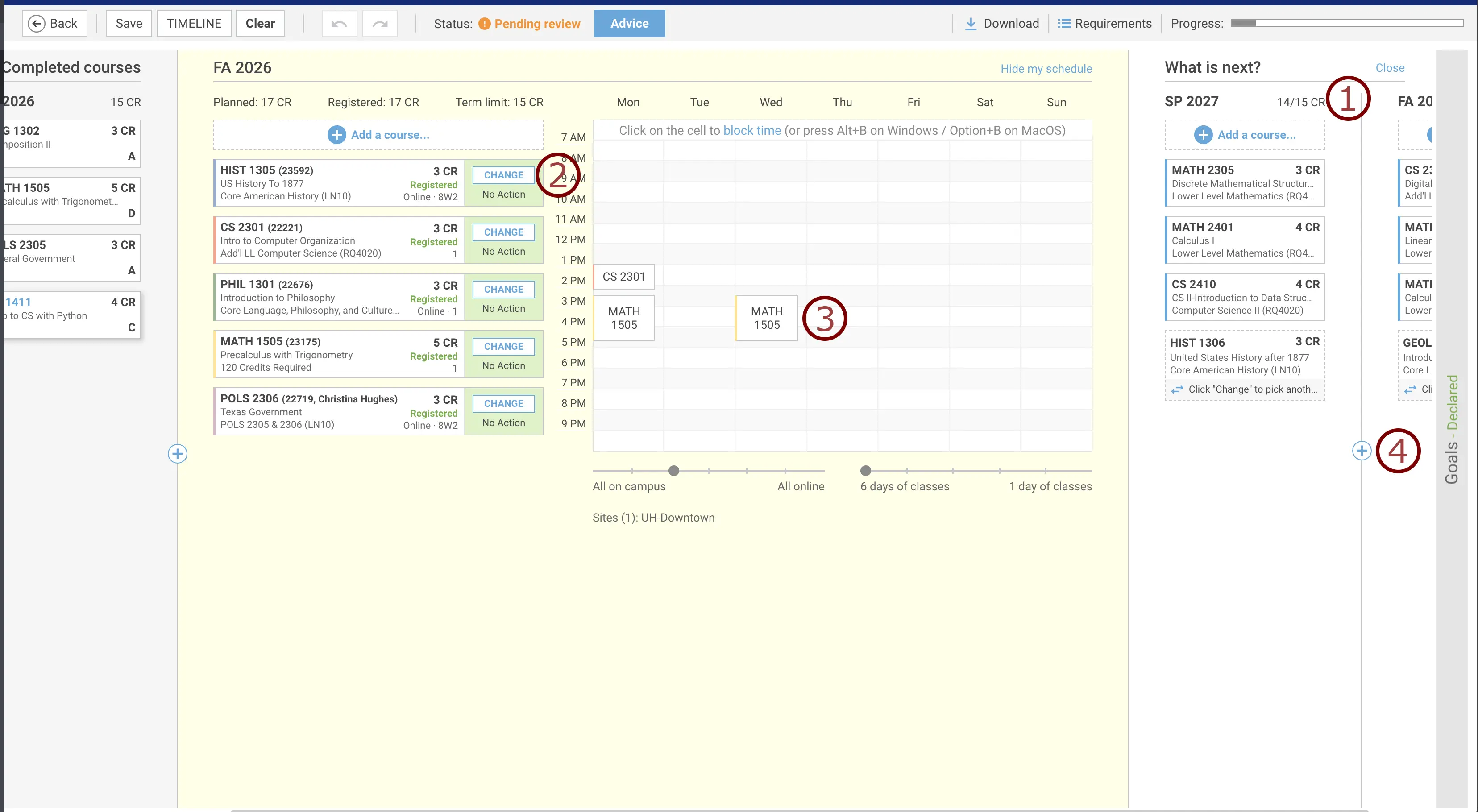
Smart Plan interface showing a student’s planned courses and weekly class schedule

Your degree requirements may be defined, but how you complete them can depend on your schedule and circumstances. Smart Plan gives you options for adjusting your plan while keeping your degree requirements in view.

You can:

  1. Set a target number of credits for a term.
  2. Review available course sections.
  3. Block times when you aren't available for class.
  4. Add future terms to your plan.
  5. Adjust your planned course by using the drag and drop feature.

After making changes, review your updated plan carefully and click advice to validate the plan. Discuss any changes with your academic advisor.

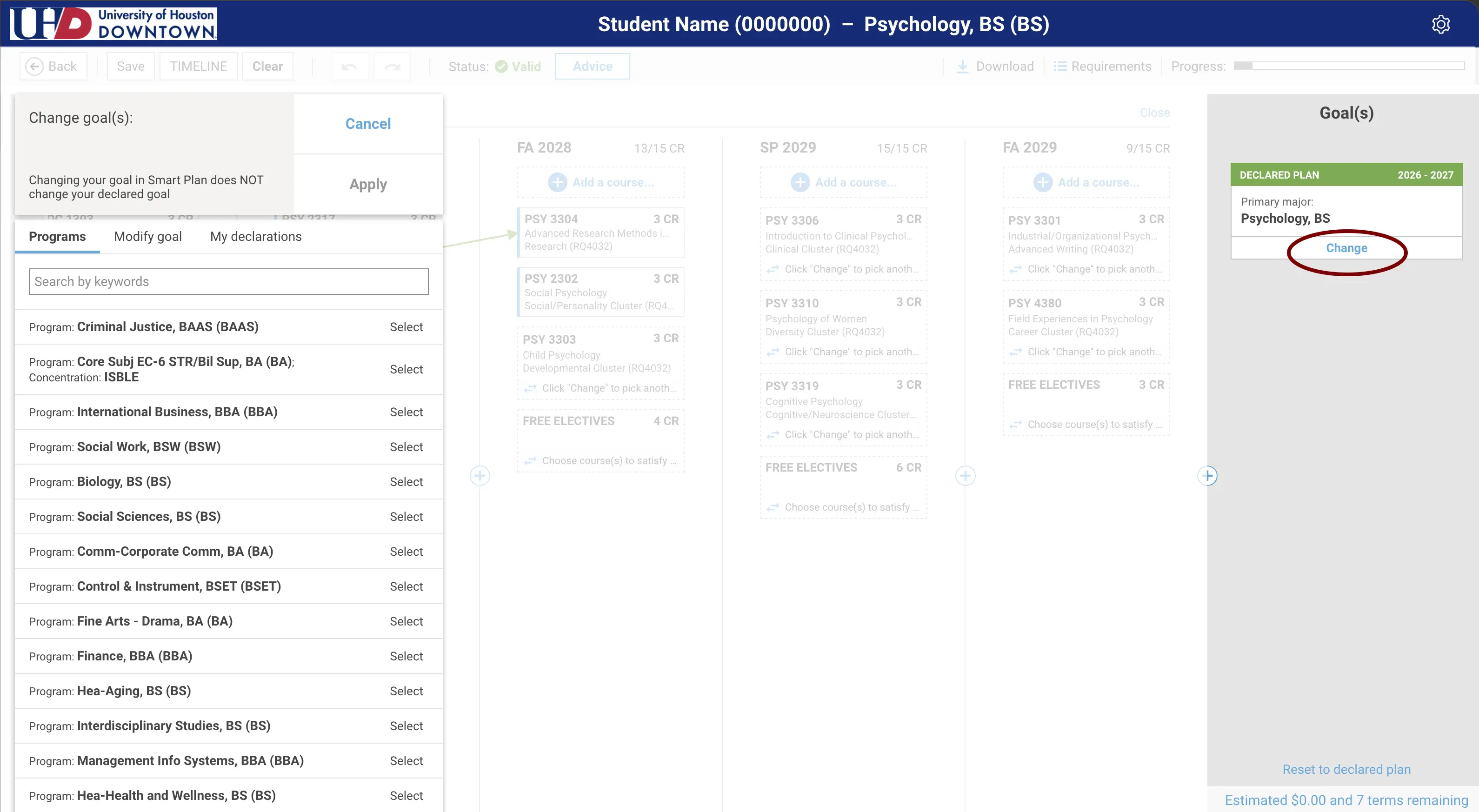
Explore Academic Paths

You don't have to change your major to explore another academic path.

Smart Plan's What If? feature lets you explore how different majors or concentrations could affect your degree plan. You can compare requirements and see how coursework you've already completed may apply to another program.

Exploring a What If scenario does not change your official major or academic record.

Any official change to your major must still be completed through UHD's established process.

Plan Ahead. Then Talk It Through.

Smart Plan gives you more information before you meet with your academic advisor, but it doesn't replace academic advising.

Use your Primary Plan to explore courses, terms, and different academic options. Before an advising appointment, review your plan and make note of questions or changes you'd like to discuss.

Your advisor can help you:

  • Review your planned course sequence.
  • Understand prerequisites and degree requirements.
  • Discuss changes that could affect your graduation timeline.
  • Consider different academic options.
  • Review and save an Official Plan when appropriate.

Your plan isn't something you create once and forget. Return to Smart Plan as your academic record, goals, and future course schedules change.

Frequently Asked Questions

Smart Plan receives daily updates from PeopleSoft, but changes to your academic record may take up to two days to appear.

No. Smart Plan helps you plan your courses and visualize your path to graduation, but you will still register for classes through PeopleSoft.

“Pending Review” means your plan should be refreshed to make sure it reflects the most up-to-date information available in Smart Plan. Select “Reset to Declared Plan” to rebuild your plan before continuing.

If you don't successfully complete a course, Smart Plan can adjust your recommended course sequence. Because many courses have prerequisites, your graduation timeline may change. Meet with your academic advisor to review your updated plan and discuss your options.

After you've reviewed your degree plan with your academic advisor, your advisor can save it as an Official Plan. Until then, any plans you create or explore are considered Primary Plans, which allow you to make changes and compare different academic options.

Yes. Smart Plan's What If? feature lets you compare different majors or concentrations without changing your official major in PeopleSoft.

No. Creating or editing a plan in Smart Plan does not change your official academic record. Major changes must still be processed through UHD's official procedures.

Yes. Smart Plan is designed to support advising conversations—not replace them. Your advisor can help you interpret your plan, discuss academic goals, and approve an Official Plan when appropriate.

Your Degree Progress Report (DPR) is UHD’s official graduation audit and the source of truth for your degree requirements. It shows the requirements you have completed and those you still need to satisfy.
 
Smart Plan is a planning tool that uses information from your DPR to help organize your remaining requirements into a semester-by-semester path toward graduation. Smart Plan does not replace your DPR.

Is Smart Plan Available for My Program?

Smart Plan is currently available for undergraduate students in the 2025–2026 and 2026–2027 catalog years except for the nursing program.